If you've got a children's story finished, or nearly finished, and you're wondering how to actually get it into readers' hands, Amazon's Kindle Direct Publishing platform (KDP) is where most independent children's authors start. It's a straightforward way to put a picture book or early reader in front of buyers worldwide, print copies on demand, and keep full control of your story the whole way through, without needing a design background or any prior publishing experience.
But self-publishing a children's book on Amazon involves a lot more steps than it first sounds. There's manuscript preparation, illustration, formatting rules built specifically around picture books, cover file requirements, account setup, understanding how royalties actually work, and a marketing effort that starts the moment your book goes live. This guide walks through every stage in order, in plain language, with the current KDP rules as they stand right now, so you know exactly what's ahead before you upload a single file.
What Amazon KDP Actually Is
A lot of people searching for help publishing a children's book expect something closer to a company that reads submissions, decides whether a story is good enough, and takes it from there. That's not what KDP is.
KDP is a self-service platform for printing and distributing books. Amazon doesn't read your manuscript, doesn't decide whether your story works, and doesn't manage anything creative on your behalf. You upload your files, you set your price, and Amazon prints a copy (or delivers a Kindle file) each time someone buys one. There's no print run sitting in storage and nothing is made until it's ordered.
This matters a great deal for children's books specifically, because picture books are visually heavy, full colour, and depend on far more careful planning than a plain text manuscript. KDP will reject a file that breaks its technical formatting rules, but it has no way of telling you whether your story reads well for a four-year-old or whether your illustrations match the pacing of your text. Getting that right is entirely up to you, which is exactly where working with a children's book publishing specialist like Purple Giraffe Press tends to make the biggest difference before you ever open the KDP dashboard.
It also helps to understand what KDP is not. It isn't a vanity press that charges you to print, it isn't a literary agency screening manuscripts, and it isn't a traditional publisher that fronts the cost of editing or illustration in exchange for a smaller royalty cut later. It's closer to a printing and distribution utility that happens to reach an enormous built-in audience of book buyers. That distinction matters: your money and effort need to go into the creative and technical work that happens before you touch the KDP dashboard, not into the platform itself.
What Self-Publishing on Amazon Actually Involves
Self-publishing on Amazon means you're responsible for every stage of the book's creation, not just the writing. That includes editing, illustration, formatting, cover design, pricing, and promotion once the book is live. In exchange, you keep complete creative control over your story, your characters, your illustrations and your timeline.
It suits authors who want to test an idea without committing to a long process before they know whether readers respond to it. If you're building a series, for instance, self-publishing the first book lets you see how it lands before investing further time and energy into the next one. It also suits authors who'd rather manage their own schedule and pricing rather than wait on someone else's decisions.
One underrated advantage is how easily a self-published book can be updated. If you spot a typo after launch, or decide a spread needs reworking, you can revise your files and republish the same listing, something that simply isn't possible once a book has been printed in a fixed run elsewhere.
What it does ask of you is a genuine willingness to learn the technical side: file formatting, cover specifications, account setup, and ongoing marketing. None of this is difficult once you understand it, but it is a real body of work, spread across weeks rather than hours, and it's worth going in with your eyes open rather than assuming the whole process is "upload and done."
Preparing Your Manuscript and Illustrations
This is the stage most guides skip past quickly, and it's the one that decides whether your finished book reads as genuinely professional or as a rushed draft with pictures added on top.
Writing and structuring the story. Picture books depend on rhythm, tight word choice, and a clear emotional arc that usually plays out across around 12 to 16 spreads, with most finished picture books landing around 32 pages in total once front and back matter are included. Once your draft exists, the real work is tightening it: cutting any line that doesn't move the character or the plot forward, making sure your main character's goal is obvious from the first page, and reading it aloud to catch anywhere the rhythm stumbles.
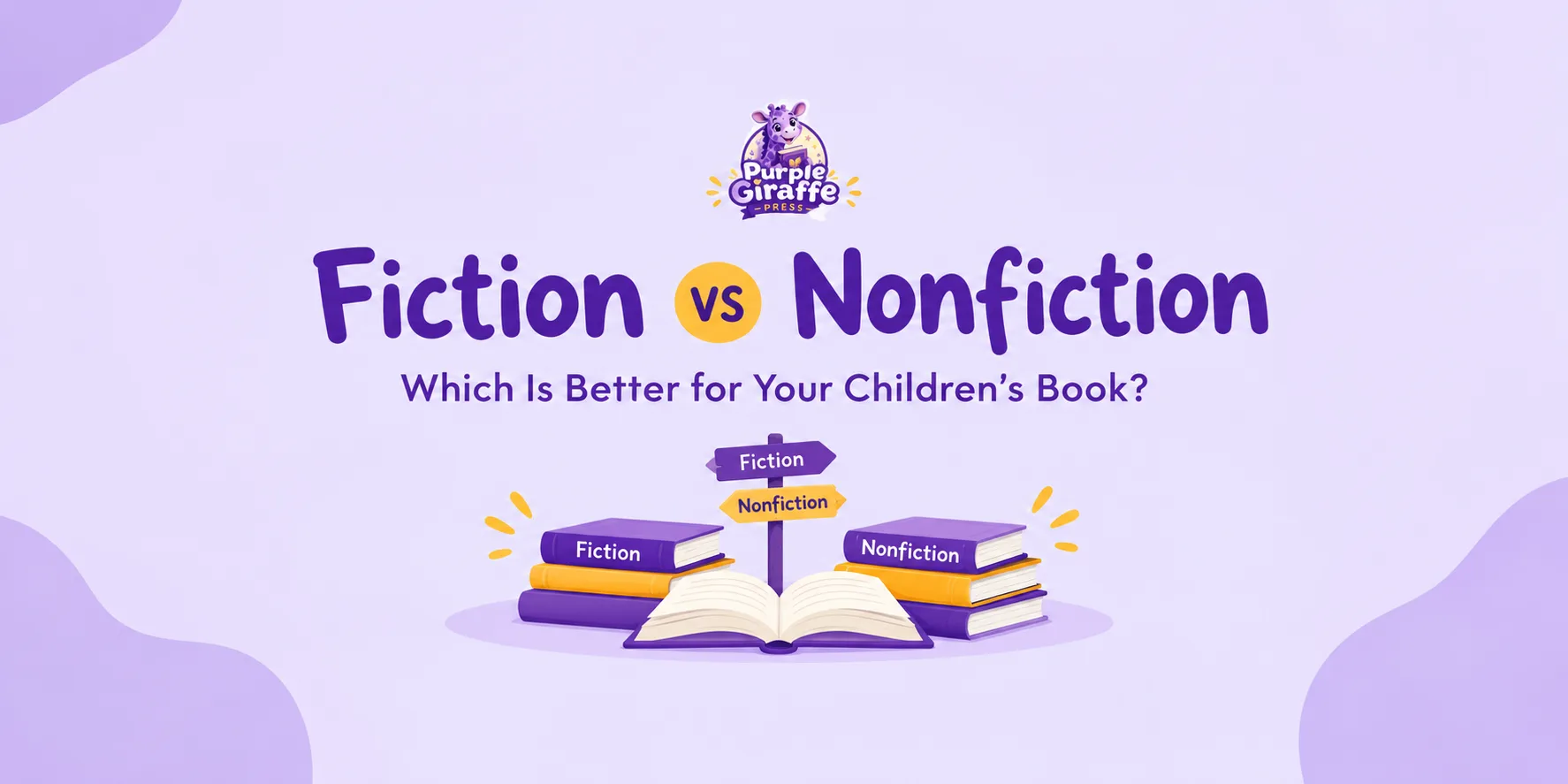
Getting precise with your terms here genuinely changes how you plan the story too. A protagonist isn't automatically the same thing as a main character once you look closely at story structure, and understanding that distinction can sharpen how you build your arc from the very first draft. Deciding early on whether your project is fiction or nonfiction also shapes your structure, your research needs, and the categories you'll choose later inside KDP, so it's worth settling before the manuscript is finished rather than after.
It also helps to settle on an age band before you write a single line, because it shapes vocabulary, sentence length and even how much your illustrations need to carry the story on their own.
Age band | Typical reader age | What it means for your manuscript |
Board book | Under 3 | Very few words per page, imagery carries almost all the meaning |
Picture book | 3 to 8 | Text and illustration share the storytelling load evenly |
Early reader | 6 to 9 | Simple chapter structure, slightly longer sentences, still supported by illustration |
Board books rely almost entirely on imagery with very few words per page. Picture books balance text and illustration evenly and benefit enormously from being read aloud to real children in that age range before you finalise anything. Early readers introduce simple chapter structure and slightly more complex sentences while still leaning on supporting illustrations.
Testing with real readers before you finalise anything is one of the simplest ways to catch problems early. Reading your draft aloud to a handful of children in your target age group, or to a small group of beta readers who understand the age band you're writing for, tends to surface issues no amount of solo editing will catch: a page that loses a child's attention, a rhyme that stumbles when spoken rather than read silently, or an illustration that needs a beat longer on the page before the story moves on.
If writing isn't where your strength lies but the story idea is solid, many people bring in a ghostwriter to turn a concept into a finished manuscript. Children's fiction specifically has its own rhythm, vocabulary limits and pacing conventions, which is why fiction ghostwriting for picture books and early readers is its own skill set, separate from general manuscript writing.
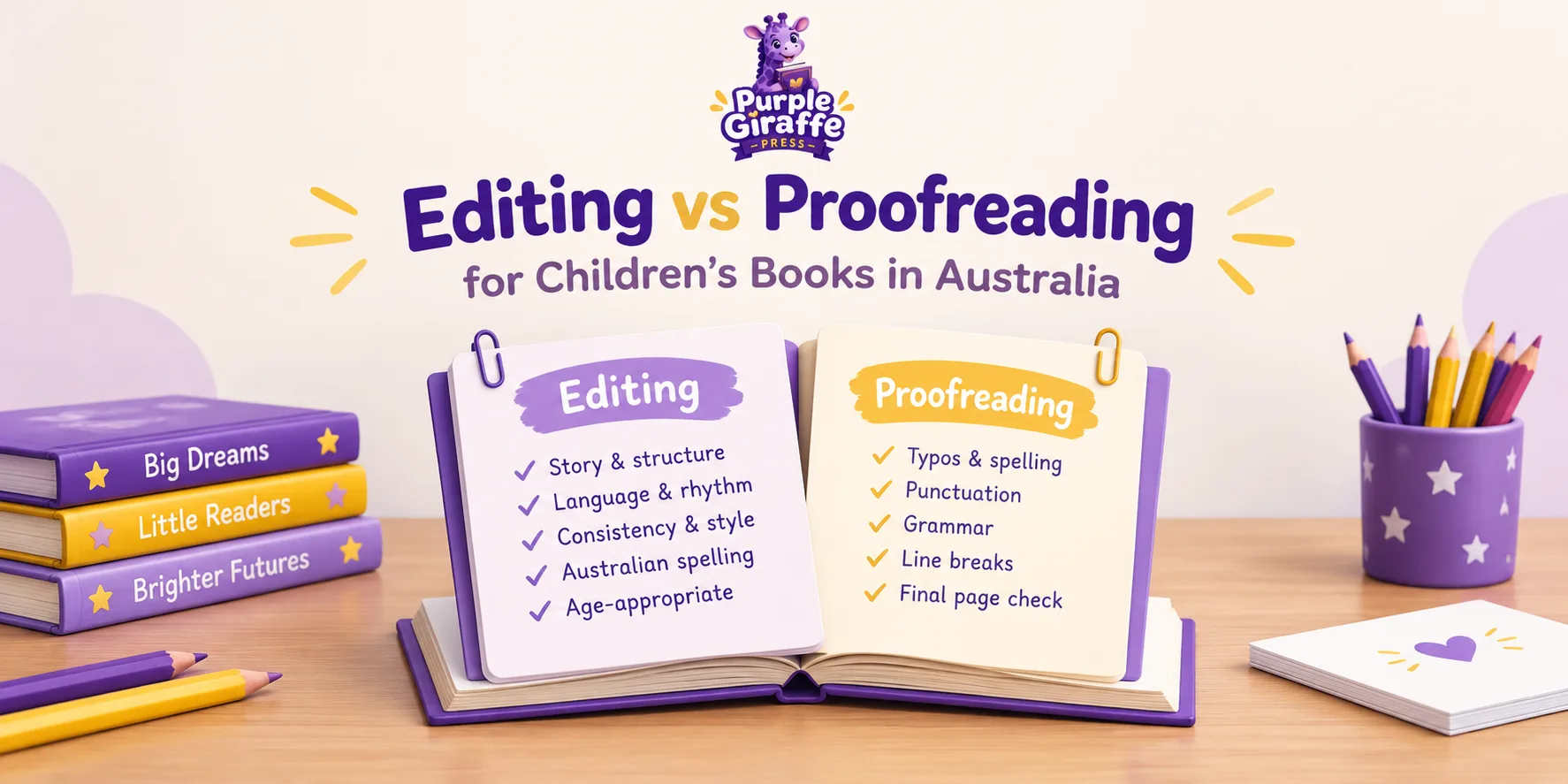
Editing before illustration begins. Get your manuscript properly edited before any artwork is commissioned, not after. People often use "editing" and "proofreading" interchangeably, but they're genuinely different jobs. Editing deals with structure, pacing and clarity, while proofreading is the final pass that catches small errors once everything else is locked in place. Spellcheck won't always save you either, since easily confused word pairs such as ingrained versus engrained can slip through unnoticed, which is exactly the kind of detail a dedicated proofreading pass is built to catch. Understanding the real difference between editing and proofreading for children's books helps you know which service you need and when. A dedicated editing pass early, followed later by a separate proofreading pass right before upload, catches two very different categories of issue, and it saves you from paying an illustrator to work from a manuscript that's about to change again.
Commissioning illustrations. Illustration is usually the single biggest creative decision in a children's book. Custom illustrations built specifically for your characters and your story's tone tend to read as far more cohesive than stock art, and they let an illustrator design characters that stay consistent across every spread. There's real craft behind imagery in a children's book that reinforces mood, pacing and vocabulary for children still learning to read. Give your illustrator a clear brief covering character descriptions, setting, tone and the specific moment each spread needs to capture, rather than handing over the full manuscript and hoping the right images come back.
Most illustration projects move through rough sketches, then a full set of black and white line drawings, then colour, with a round of revisions built into each stage. Building that timeline into your schedule from the start saves a lot of frustration later, since colour illustration for a full 32-page picture book is rarely a quick turnaround, and rushing an illustrator to hit a launch date usually shows up as a less polished final book.
Don't overlook the front matter either. A title page, a copyright page with your ISBN and copyright notice, and a simple dedication page are expected in a professionally presented children's book, and leaving them out, or copying the wording from a template without checking it fits your own publishing details, is a surprisingly common and easily avoided mistake.
Formatting Your Children's Book for KDP
Formatting is where children's books diverge most from general self-publishing advice, because picture books are full colour, image-heavy, and far less forgiving of layout mistakes than a plain text book.
Trim size. Picture books commonly use a square format around 8.5 x 8.5 inches, a portrait format around 8 x 10 inches, or a landscape format such as 9 x 6 inches. Choosing the right picture book format affects your spine width calculation and how your finished book looks alongside other titles in its category.
Trim size | Orientation | Typical use |
8.5 x 8.5 in | Square | Classic picture book format, strong for illustration-heavy spreads |
8 x 10 in | Portrait | Common for longer picture books and early readers |
9 x 6 in | Landscape | Suits wide, cinematic illustration spreads |
Bleed and margins. KDP requires 0.125 inches of bleed on any page where artwork, colour fills or images reach the edge, applied to the top, bottom and outside edge (not the spine edge). Turning bleed on also increases the minimum outside margin from 0.25 inches to 0.375 inches, while top and bottom minimums stay at 0.25 inches. The inside gutter margin starts at a minimum of 0.375 inches for books up to 150 pages, then rises in tiers as page count increases: 0.5 inches for 151 to 300 pages, 0.625 inches for 301 to 500 pages, 0.75 inches for 501 to 700 pages, and 0.875 inches for books over 700 pages. Most picture books sit well inside the lowest tier, but it's worth checking the current tier for your exact page count before you lock in your layout.
File types, resolution and colour setup. KDP accepts print interiors as a single PDF file, with every font fully embedded. For colour interiors, images should be converted to CMYK, since printers that receive mixed colour spaces can shift colours unpredictably, while Kindle images instead use the sRGB profile suited to on-screen display. Every image needs a minimum of 300 DPI measured at its actual printed size, not its original file size, since an image that looked sharp at a smaller size can drop below that threshold once stretched across a full spread. Simply relabelling a low-resolution image as 300 DPI doesn't improve it, since resolution comes from genuine pixel density, not a metadata tag.
Kindle format: fixed layout versus reflowable. Reflowable Kindle books adapt to a reader's screen size and font preferences, while fixed layout books preserve an exact structure and don't allow visual adjustments. Picture books are built as fixed layout files so each illustration stays in its exact position relative to the text. The trade-off is that fixed layout and image-based books aren't readable through read-aloud or braille features.
Hardcover versus paperback. Hardcover suits gift-style purchases and tends to feel more durable, while paperback is lighter and more accessible. The right choice usually comes down to how the book will actually be bought and used, which is covered properly in a dedicated breakdown of hardback versus paperback for children's books.
Designing a Cover That Actually Sells
Children's book covers need to work at thumbnail size, since that's how most people first encounter them on a phone. That means bold, simple character art, strong colour contrast, and a title set in a typeface large enough to read small.
One detail that catches first-time authors out: your book needs at least 79 pages before KDP will allow text on the spine, and if a cover with spine text is uploaded for a book under that threshold, the cover gets rejected and has to be revised before the book can go live. Most standard 24 to 32 page picture books sit well under that number, so the vast majority of picture books simply won't carry spine text at all, and trying to force it onto a shorter book's cover is one of the more common reasons a file bounces back.
A dedicated book cover design approach produces a front, spine and back cover file sized precisely to your page count and trim size, plus a separate Kindle cover file at a different aspect ratio, since the ebook cover is only ever the front image shown on a screen.
Setting Up Your KDP Account
Create your account. Sign up through the KDP dashboard using an Amazon account, ideally kept separate from your personal shopping account.
Tax interview. Complete the online tax interview before royalties can be paid, confirming tax residency and how withholding applies.
Banking details. Add a bank account for royalty payments, generally issued a couple of months after the month royalties were earned.
Author profile. Set up your author page with a short biography. If writing under a pen name, KDP lets you separate your published identity from your account details.
Publishing Step by Step
From your dashboard, choose your format: Kindle eBook, paperback or hardcover.
Enter book details: title, series information, description, author name, and categories. A children's book in the wrong age or genre category gets far less visibility.
Complete the AI content disclosure step. Amazon requires disclosure of AI-generated content, including text, images or translations, and AI-generated images include both cover and interior artwork. If you created the content yourself and used AI only to edit, refine or error-check it, that's AI-assisted, not AI-generated, and doesn't need disclosure. Enforcement has tightened, and Amazon can pull an undisclosed title without warning and suspend accounts for repeat breaches.
Upload your formatted interior file and cover file.
Use the online previewer to check every page renders correctly.
Set pricing, royalty option, and distribution territories.
Submit for publishing and wait for Amazon's checks to clear. Review generally takes a day or two for print, though timing can vary a little.
Order an author proof copy before announcing the book's availability.
Understanding Royalties
Royalties are where a lot of outdated advice causes real problems, because KDP's rates have changed more than once in the last couple of years and plenty of articles still quote the old figures.
For Kindle eBooks, the 70% royalty option currently applies to books priced between $2.99 and $12.99 on Amazon.com. That upper limit moved from $9.99 to $12.99 from 7 July 2026, the first expansion of this price band in nineteen years, so if you've seen older advice telling you to cap your ebook at $9.99 to stay in the higher royalty tier, that ceiling no longer applies. Below $2.99 or above $12.99, the 35% royalty option applies instead, across a much wider price range. At the 70% tier, a delivery charge based on file size is deducted before the percentage is applied, which matters more for image-heavy picture book files than for plain text ebooks.
Print royalties for paperbacks and hardcovers sold through Amazon currently use a two-tier structure: 60% of list price on Amazon.com for books priced at $9.99 or more, and 50% for books priced at $9.98 or below, with your printing cost deducted afterwards in both cases. Books sold through Expanded Distribution, meaning retailers other than Amazon itself, earn 40% of list price before printing costs are deducted. Because picture books are full colour, printing costs are higher than for a black and white novel, so it's worth running your exact trim size and page count through KDP's own royalty calculator before settling on a list price.
Pricing your book sits right alongside the royalty tiers above, and it's easy to let the tier dictate the price rather than the other way around. A picture book priced too low relative to its print cost can earn next to nothing per paperback copy once the printing deduction is taken out, while a price set too high for the category can quietly suppress sales before you ever see the royalty question play out. It's worth looking at what comparable picture books in your category and trim size are actually priced at before you lock in a number, rather than picking a price purely to land inside a particular royalty band.
Format | Royalty structure |
Kindle eBook | 70% within the $2.99 to $12.99 Amazon.com band, 35% outside it, delivery charge deducted first at the 70% tier |
Paperback | 60% of list price at $9.99 or more, 50% at $9.98 or below, printing cost deducted after the percentage |
Hardcover | Same 60%/50% structure as paperback, calculated against hardcover-specific printing costs |
Royalties also vary by territory and currency. Each KDP marketplace has its own list price band for the higher ebook royalty tier, so a price qualifying for the top rate in one marketplace may fall outside the band in another. Australian authors are paid in their local currency once converted from the sale currency, so check your own marketplace's band rather than assuming the US figures apply everywhere.
KDP Select vs. Going Wide
KDP Select makes a Kindle eBook exclusive to Amazon for renewable terms, in exchange for inclusion in Amazon's subscription reading programme and promotional pricing tools. "Going wide" means publishing across other retailers too. For picture books, subscription-reading payouts are calculated per page read, which tends to favour longer books, so many picture book authors go wide from the start rather than opting into exclusivity.
Common Reasons Amazon Rejects Children's Books
Incorrect bleed or margins from an unadjusted template.
Low-resolution images that looked fine on screen.
Missing or incorrect copyright page or ISBN details.
Cover and interior trim size mismatch.
Spine text on a cover for a book under 79 pages.
Undisclosed AI-generated content.
Undisclosed use of copyrighted characters or imagery.
Printing Formats and Publishing Across Regions
Authors publishing from the UK, Ireland, Australia and elsewhere use the same dashboard and royalty mechanics, paid out in local currency once converted from each marketplace's sale currency. There's a dedicated breakdown for publishing a children's book in the UK, a regional walkthrough for publishing a children's book in Ireland, and a guide for publishing a children's book in the USA, each covering the small differences in tax setup and pricing bands that apply outside your home marketplace.
Distribution territories are worth checking too, since selecting worldwide rights, where you hold them, gives the widest reach without extra ongoing work. Children's book printing through a specialist service can also complement your KDP listing for markets, school visits or events where you want physical stock on hand, rather than relying solely on print-on-demand turnaround times. This is particularly useful if you're planning a book launch event or supplying copies to a local bookshop on consignment, where waiting on a print-on-demand order to arrive isn't practical.
Marketing Your Book After Publishing
Keywords and categories genuinely drive discoverability, so research what parents and gift-buyers actually search for rather than guessing at the terms you'd personally use. KDP currently gives you seven keyword fields and up to three categories at upload, and both decisions matter more than first-time authors tend to expect. A keyword that's technically accurate but far too broad, such as "children's book," competes against hundreds of thousands of other titles, while a more specific phrase tied to your actual story, such as "picture book about starting school" or "bedtime story about big feelings," puts your book in front of a smaller but far more motivated audience. The same logic applies to categories: a narrow, accurate category with less competition usually beats a broad, popular one you have little real chance of ranking in.
Sponsored advertising through Amazon's tools works best starting with a modest budget, refined by what actually converts, rather than committing a large spend before you know which keywords and cover variations perform.
Author platform. A simple author website lets you build a mailing list you own, with a short newsletter keeping readers engaged between titles rather than relying entirely on Amazon's algorithm to resurface your book.
Reviews and launch approach. A soft launch to family and advance readers, followed by genuine review requests, tends to build steadier momentum than one big push with no reviews yet, since early reviews are often what convinces a browsing parent to click through.
A wider promotion plan, including book promotion, school visits and library outreach, builds momentum an Amazon listing alone won't generate, particularly for authors building a local or regional following. Many children's authors also find that in-person events, whether that's a classroom reading, a library storytime slot or a stall at a local market, convert better than online advertising alone, because a child's enthusiasm for a story read aloud in front of them is a powerful, immediate reason for a parent to buy a copy on the spot.
Building a backlist and a series also matters. A short series tends to perform better over time than one standalone book, since each new title gives readers a reason to return and gives Amazon's recommendation system more to surface. Consistent character design and a clear reading order help readers find book two once they've enjoyed book one.
How Purple Giraffe Press Can Help
Every stage covered here, from writing support, editing and illustration to cover design, formatting and promotion, is something Purple Giraffe Press regularly helps children's authors with. Whether you need creative guidance or assistance with technical requirements, you have experienced support throughout your publishing journey, so you're never left figuring things out alone.
Final Thoughts
Self-publishing a children's book on Amazon is a series of connected decisions: story structure, illustration, formatting, pricing, and marketing once the book is live. Skipping any one tends to show up later as a rejected file, an overlooked cover, or a quiet launch. The rules themselves shift too, as the 2026 royalty band changes show, so it's worth checking current KDP documentation at each stage rather than relying on older advice. Purple Giraffe Press exists to support that process, from the first draft through to launch and every title after it.
Ready when you are
Let's bring your children's book to life.
From a first idea to a finished book children adore, we are with you at every step. Tell us about your story and we'll reply within one business day.
Start Publishing →